What makes Kodotone a rhythm sequencer?
Kodotone uses lane-based generated patterns, samples, swing, humanize, density, placement, ghost notes, accents, variation, and MIDI output to create and steer grooves.
Best Rhythm Sequencer / 01
The best rhythm sequencer is not the one with the busiest grid. It is the one that helps a groove find its feet while you can still steer timing, density, samples, and feel. Kodotone is Clayworks' answer for that job.
Quick answer
The best rhythm sequencer plugin should help you shape a groove while it plays, not just fill a grid. Kodotone fits when you want lane-based drum patterns, samples, swing, humanize, density, placement, ghost notes, and MIDI output. Choose a plain step sequencer if you only need fixed drum programming.
Section 01
Look for a rhythm tool that lets the pattern change while the feel stays musical.
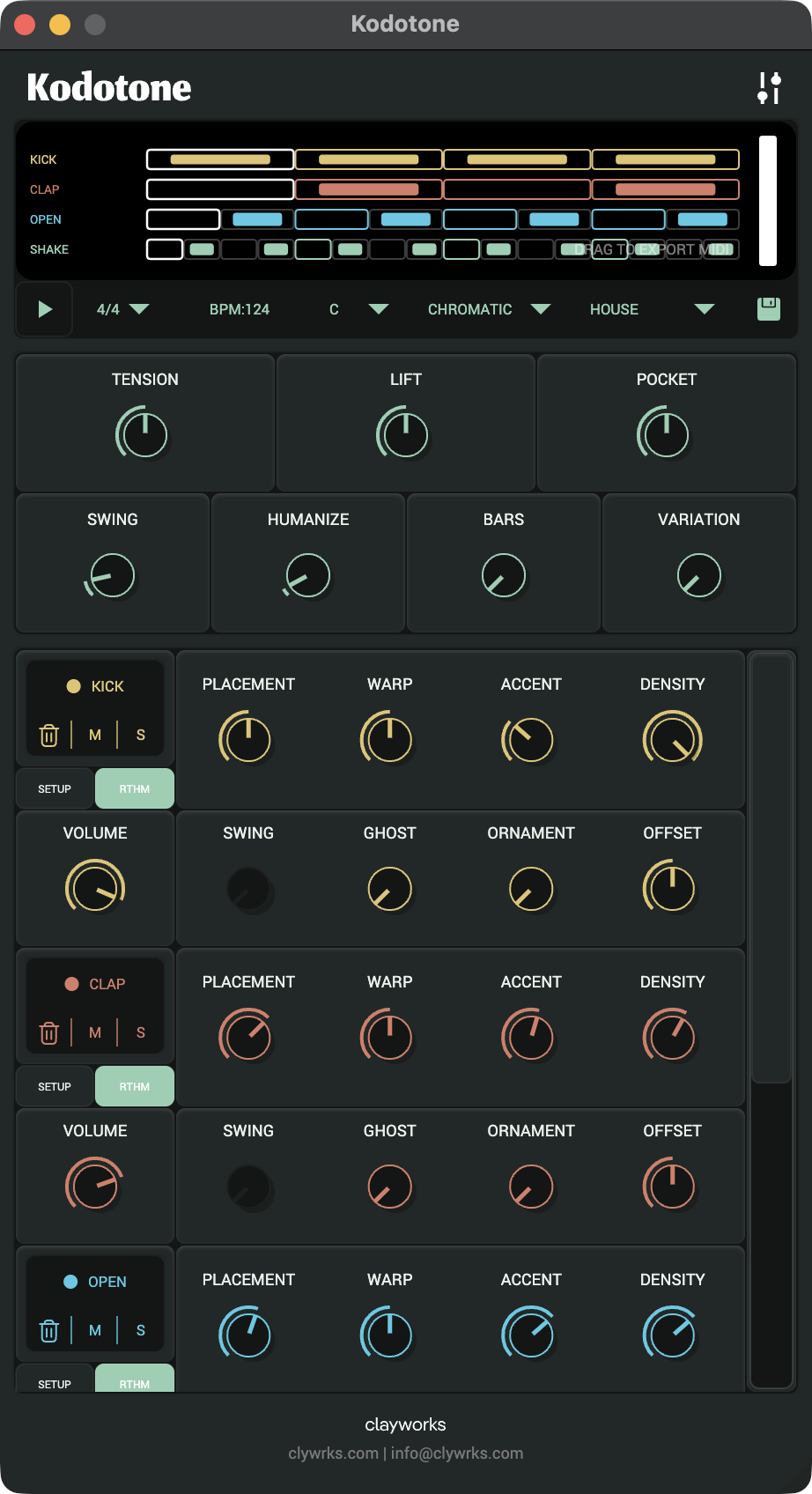
Kodotone uses lanes, samples, generated patterns, and groove controls so you can push density, swing, placement, ghost notes, accents, and timing without rebuilding every step by hand. That makes it useful when the groove is still becoming itself.
A plain step sequencer is still right when you only need fixed drum programming. Kodotone is stronger when you want the pattern to move, breathe, and keep responding while the track plays.
Section 02
Use this as a practical fit check before buying another rhythm tool.
| Buyer need | Choose Kodotone when | Choose another route when |
|---|---|---|
| Groove shaping | You want density, swing, placement, ghost notes, accents, and variation. | You only want to enter fixed steps. |
| Sound source | You want built-in voices plus WAV or MP3 samples. | You only need to trigger one existing drum rack. |
| Performance | You want macro feel controls and lane movement while playback runs. | You prefer editing one static grid at a time. |
| Routing | You want standalone, AUv2, VST3, and MIDI output options. | Your DAW sequencer already solves the whole job. |
Section 03
Kodotone is for steering generated rhythm, not replacing every drum workflow.
If you want a rigid x0x-style grid and nothing more, a simpler sequencer may be cleaner. If you want a groove instrument that can keep changing under your hands, Kodotone becomes more relevant.
Section 04
Use the Kodotone product page for price and compatibility, then read the guide for exact controls.
The Kodotone guide explains lanes, samples, groove dials, MIDI output, and settings. That gives buyers a real setup path before or after purchase.
FAQ
Kodotone uses lane-based generated patterns, samples, swing, humanize, density, placement, ghost notes, accents, variation, and MIDI output to create and steer grooves.
Choose Kodotone if you want drum patterns and percussion parts that can move while you steer the feel, rather than a fixed grid that stays still.
Kodotone is listed on this site as a standalone app with AUv2 and VST3 plugin targets.