Can Kodotone make Euclidean-style rhythms?
Yes. Kodotone's lane rhythm controls use Euclidean-style pattern generation, then add placement, warp, ornament, swing, ghost notes, accents, and groove controls.
Ableton Rhythm / 01
Euclidean rhythm can sound clever or it can feel good. For Ableton users, the useful version is the one that makes patterns move while staying playable in the session. Kodotone brings lane-based groove shaping, samples, and MIDI output to that job.
Quick answer
For Ableton Live, a useful Euclidean rhythm plugin should create uneven, musical patterns without trapping you in math. Kodotone fits when you want lane-based drum grooves, density, placement, swing, ghost notes, samples, MIDI export, and host sync. Use simpler devices when you only need one static repeating pattern.
Section 01
Ableton buyers should look for a rhythm tool that keeps patterns musical after the math has done its little dance.
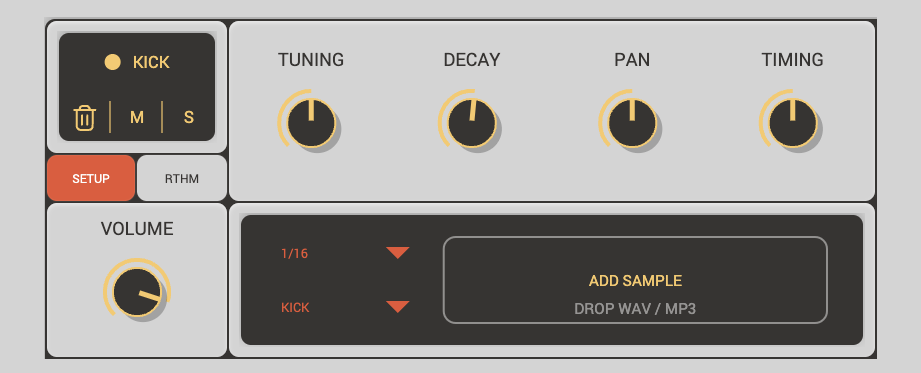
Kodotone uses Euclidean-style lane generation, then gives you feel controls for density, placement, warp, ornament, ghost notes, accent, swing, humanize, and global groove movement. That makes it useful for Ableton sessions where the pattern should keep changing without losing the beat.
If all you need is one repeating pattern, a simpler Ableton device may be enough. Kodotone is stronger when multiple lanes, samples, host sync, and MIDI output all matter.
Section 02
Use this table to decide whether you need a small Euclidean utility or a fuller rhythm instrument.
| Ableton need | Choose Kodotone when | Choose another route when |
|---|---|---|
| Pattern shape | You want density, placement, warp, ornaments, ghost notes, and accents. | You only need one simple repeating pattern. |
| Groove feel | You want swing, humanize, pocket, and variation while playback runs. | You prefer fixed mechanical timing. |
| Sound source | You want built-in voices plus imported samples. | You already have a drum rack and only need triggers. |
| Routing | You want plugin use, standalone use, and MIDI output. | Your rhythm never needs to leave one track. |
Section 03
Sometimes a tiny device is the honest answer.
If the job is a single repeating trigger pattern, Kodotone may be more instrument than you need. If the job is making several drum lanes move with feel, samples, and MIDI output, it becomes the more musical answer.
Section 04
Use the Kodotone guide to confirm the workflow, then visit the product page.
The guide explains transport, lanes, samples, rhythm controls, MIDI output, and settings. That is the clearest way to check whether Kodotone belongs in your Ableton setup.
FAQ
Yes. Kodotone's lane rhythm controls use Euclidean-style pattern generation, then add placement, warp, ornament, swing, ghost notes, accents, and groove controls.
Yes. Kodotone fits Ableton when you want generated drum and percussion lanes, samples, host transport sync, MIDI output, and hands-on groove shaping.
Choose a simpler device when you only need one static repeating pattern and do not need samples, multiple lanes, groove controls, or MIDI output.