Does Harmonimo replace Ableton Chord?
Not for every job. Ableton Chord is still quick for fixed interval stacks, while Harmonimo is better when the harmony itself needs voicing, extensions, mapping, movement, and routing flexibility.
Harmonimo vs Ableton Chord / 01
Ableton's built-in Chord MIDI effect is useful for simple stacked intervals. Harmonimo is built for a broader harmony workflow: one-note chord generation, smarter voicings, extensions, performance controls, and MIDI output that can leave the DAW when needed.
Quick answer
Ableton Chord is best for quick fixed interval stacks inside a Live MIDI chain. Harmonimo is for a broader harmony workflow: one-note chord generation, smarter voicings, extensions, performance controls, MIDI learn, pattern movement, and standalone MIDI output when the generated notes need to leave Ableton.
Section 01
Both tools can help with chords, but they solve different problems.
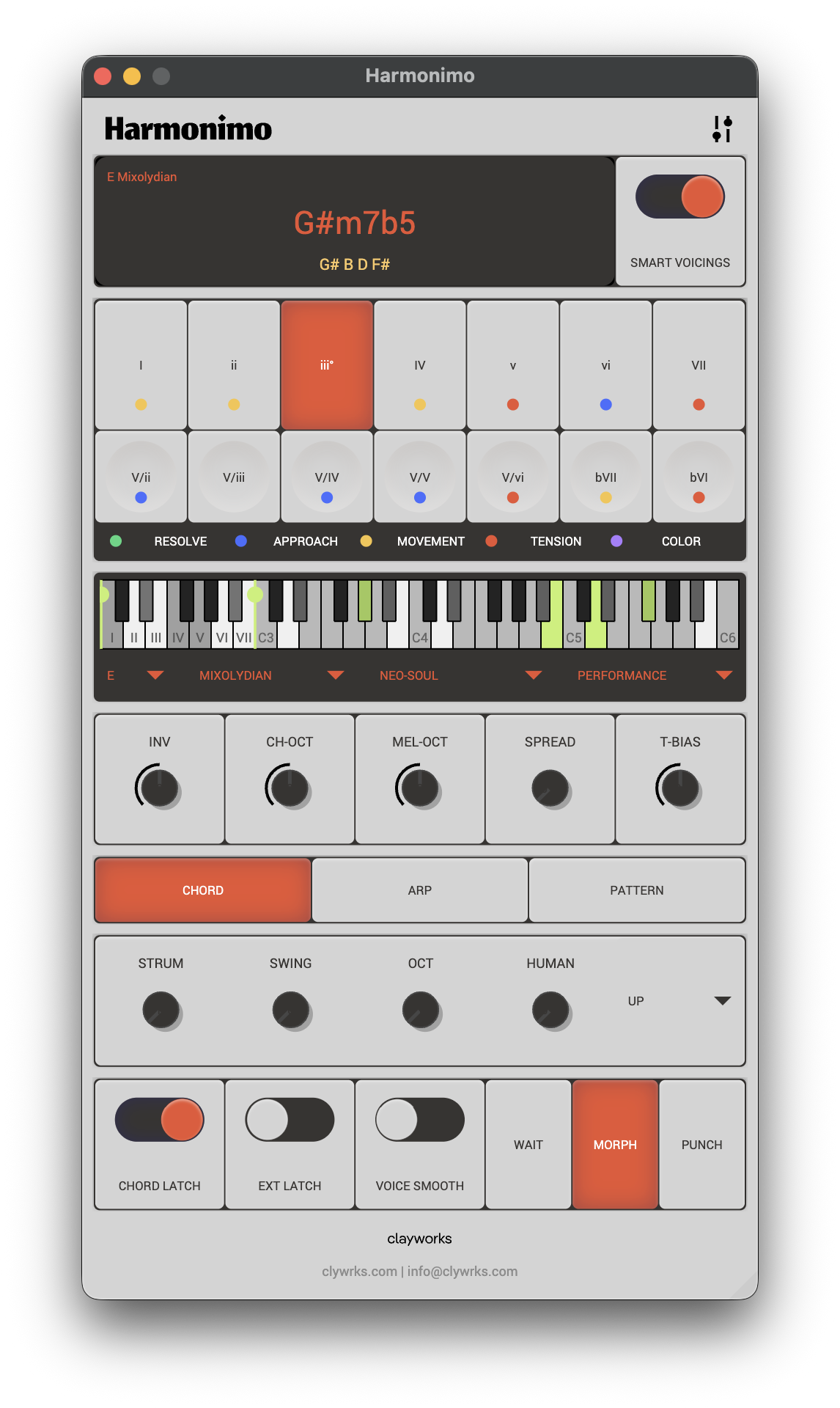
Ableton Chord is a fast way to stack fixed intervals from an incoming MIDI note. That is useful when you know exactly what interval shape you want and want it directly inside a Live MIDI chain.
Harmonimo is designed for situations where the chord itself is the creative surface. Instead of only stacking fixed offsets, it gives you a musical control layer for chord type, voicing, extensions, spread, strum, arpeggiation, pattern movement, key-aware melody support, and real-time MIDI output.
Section 02
The larger gap shows up when you start performing the harmony.
A fixed chord effect can be useful, but it usually becomes less flexible when the progression needs inversions, extensions, changing voicings, strummed movement, or controller-led variation. Harmonimo is built around those decisions as first-class controls.
That makes it a better fit when you are sketching progressions, building neo-soul or jazz-influenced harmony, playing one-handed chords, or mapping chord changes to pads and knobs.
Section 03
The honest answer is not that one replaces every use of the other.
If you only need a basic fixed chord shape in one Ableton device chain, the built-in Chord MIDI effect is quick and already available. If the harmony needs to change shape, stay in key, respond to performance controls, or route beyond a single Live track, Harmonimo becomes the more complete option.
For many producers, the practical setup is simple: keep Ableton's native devices for tiny utility jobs and use Harmonimo when the chord workflow itself is central to the song idea.
FAQ
Not for every job. Ableton Chord is still quick for fixed interval stacks, while Harmonimo is better when the harmony itself needs voicing, extensions, mapping, movement, and routing flexibility.
Ableton Chord is enough when you only need a simple static interval shape in one Live MIDI chain and do not need smarter voicing or performance controls.